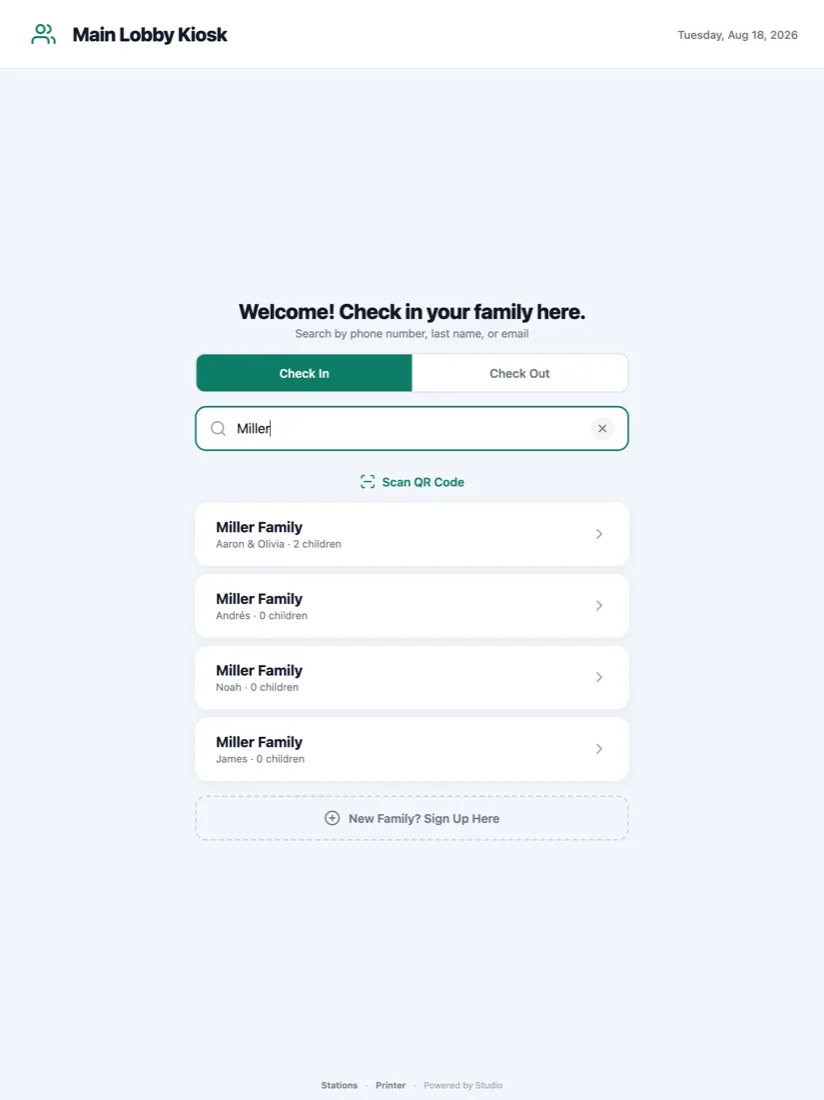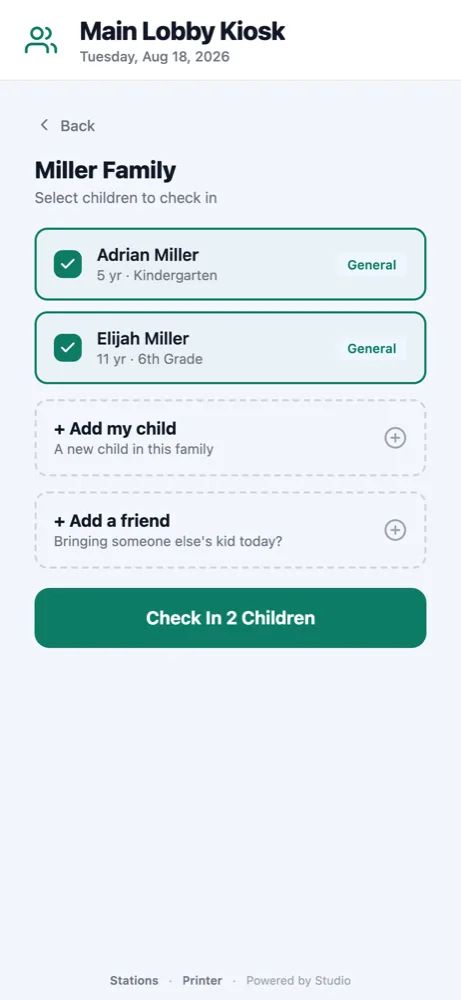
A fast, friendly children's check-in system for your church. Families check in at a kiosk, search by name or phone, choose their kids, and instantly print name tags plus matching pickup labels.
Search a name, tap the kids, done.
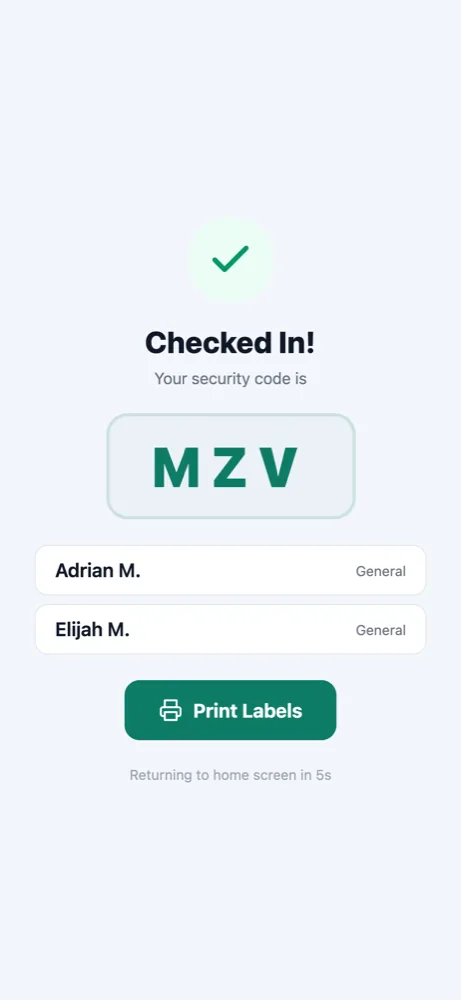
Matching guardian and child security codes.
Silent one-tap Brother QL printing.
iPad, Android tablet, or desktop.
Secure codes keep every child safe, and the line never stops moving.
A parent steps up to the kiosk and searches by name or phone number.
They tap the children who are here. Each one gets a room and a security code.
Name tags print in seconds, with a matching pickup label for the guardian.
The same screens on every device, in your church's colors.


Install it on the device you will use for check-in.
Stations signs in to your Studio workspace, so the Check-ins module has to be on before the app has anything to check people into. Each station is then pointed at a service or an event. Check-ins is included in Studio Faith, Studio Cause, and Studio Events.
The iPad is the classic check-in kiosk.
Coming to the App StoreA computer at the welcome desk. Labels print with no print box.
Download for Mac Download for WindowsAndroid. Install it from Google Play on the tablet, then open it and enter your workspace's 6-digit check-in code.
iPhone and iPad. Coming to the App Store, which is the only way apps can be installed on iOS.
Mac and Windows. Download, open the installer, then pick your label printer once in the app. Every label after that prints straight away, with no print box. The app updates itself.
Studio Stations is the app for the Check-ins module. Install it, pair the device, and open the doors.